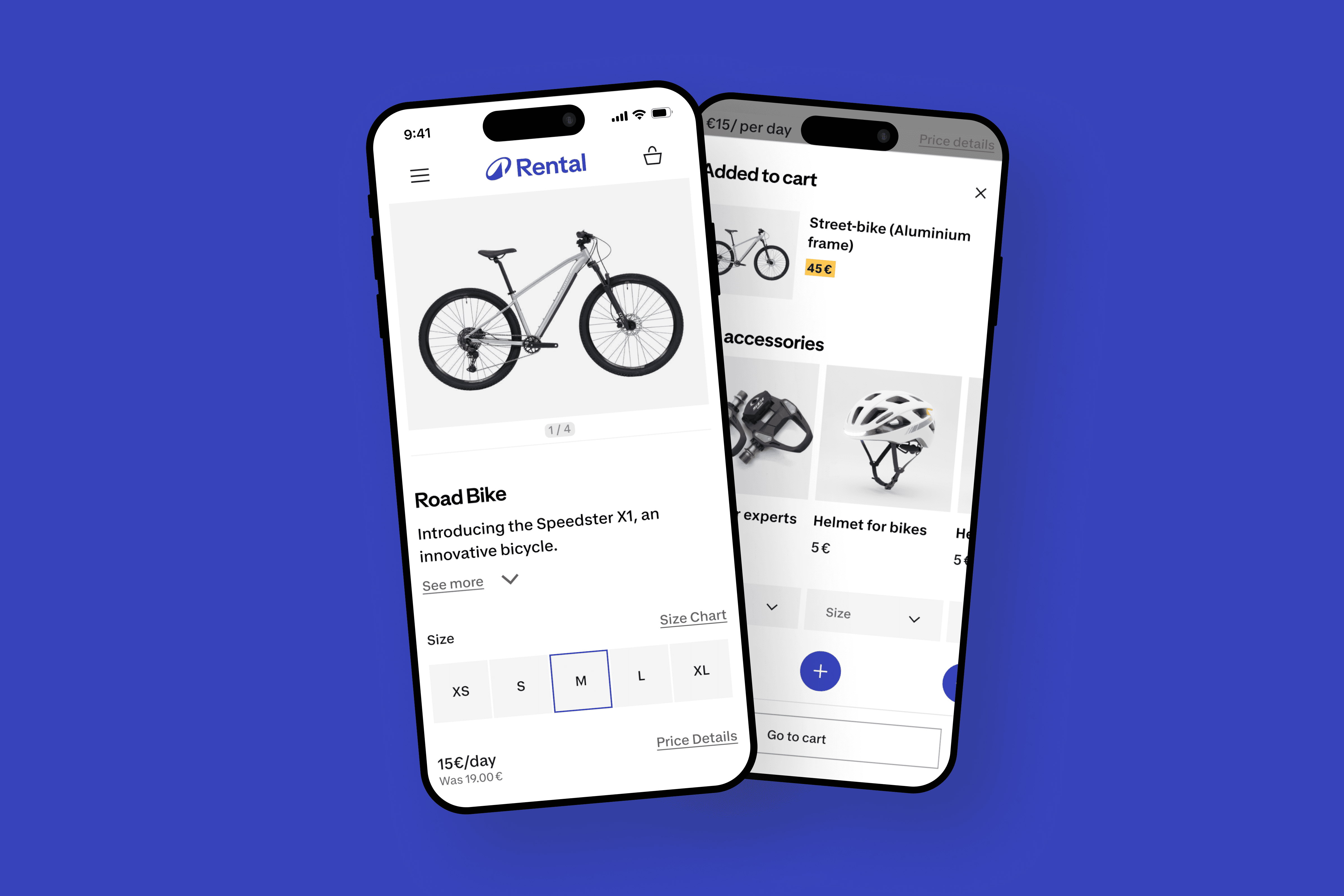
Redesigning the product page of Decathlon Rent
A UX/UI project focused on redesigning the product page of Decathlon Rent, making it consistent with the new design system and solving key usability issues.
In this project, I led the workshops, conducted qualitative research, redesigned the experience using Figma, and handed off to developers.
📆 Timeline: February 2025 - March 2025
🧑🏼💻 Website: Decathlon Rent (Italy)
🧭 Area: Product Page
The project
Decathlon Rent was offering something genuinely useful: a simple way for people to rent sport products without buying it.
At least, in physical stores.
Quantitative data showed heavy drop-offs across key areas on the website: homepage, listing page and product page.
The website was underperforming, stakeholders were dissatisfied, and we decided to run qualitative research to understand the root causes.
Research method
Based on the numbers, I defined a research plan and created the script for the interviews.
I then moderated semi-structured usability tests with five participants to uncover both usability issues and opportunities.
Finally, I synthesized the findings into clear, actionable insights that explained the “why” behind the metrics.
Qualitative research is most valuable when it’s supported by quantitative data that shows the real impact.
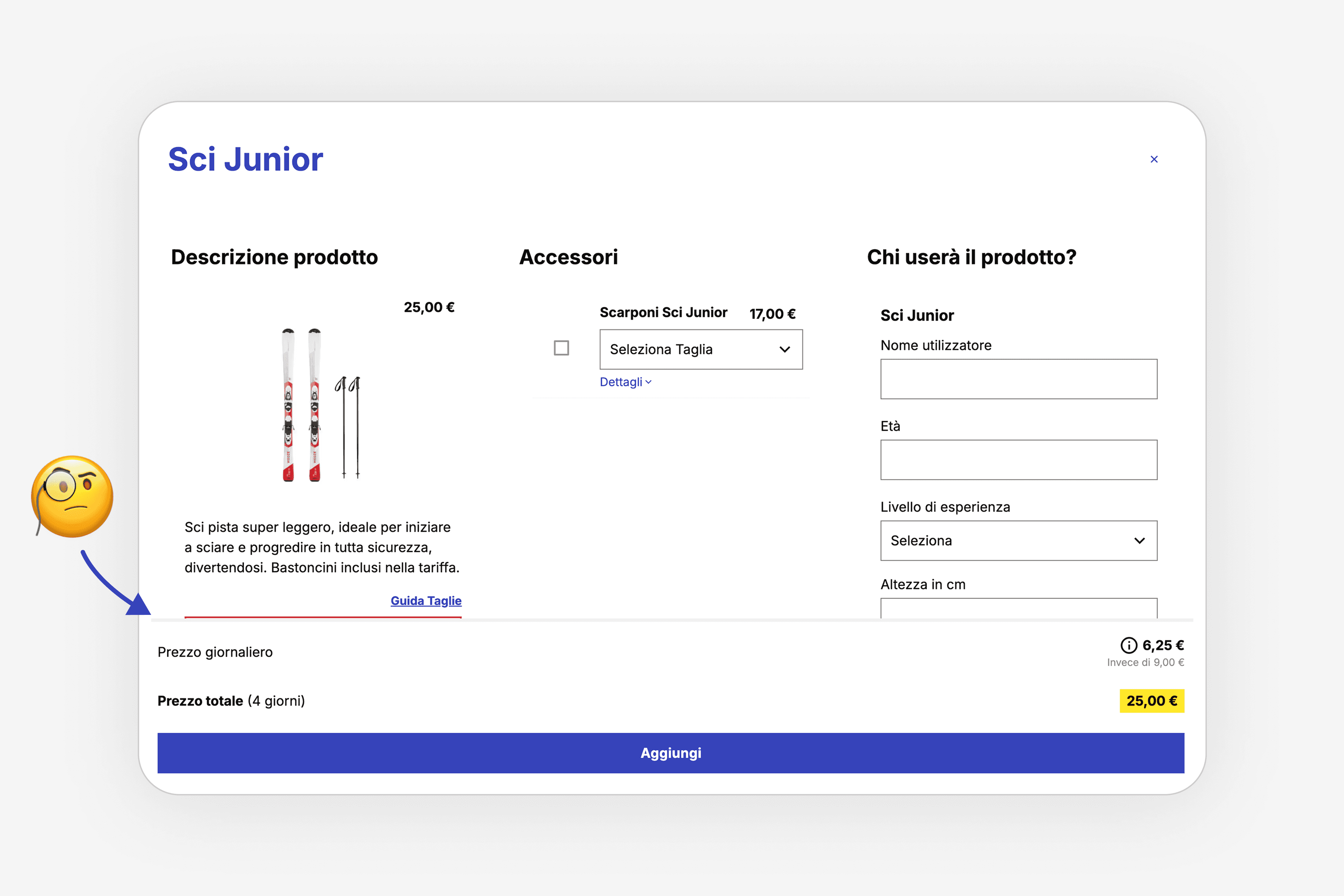
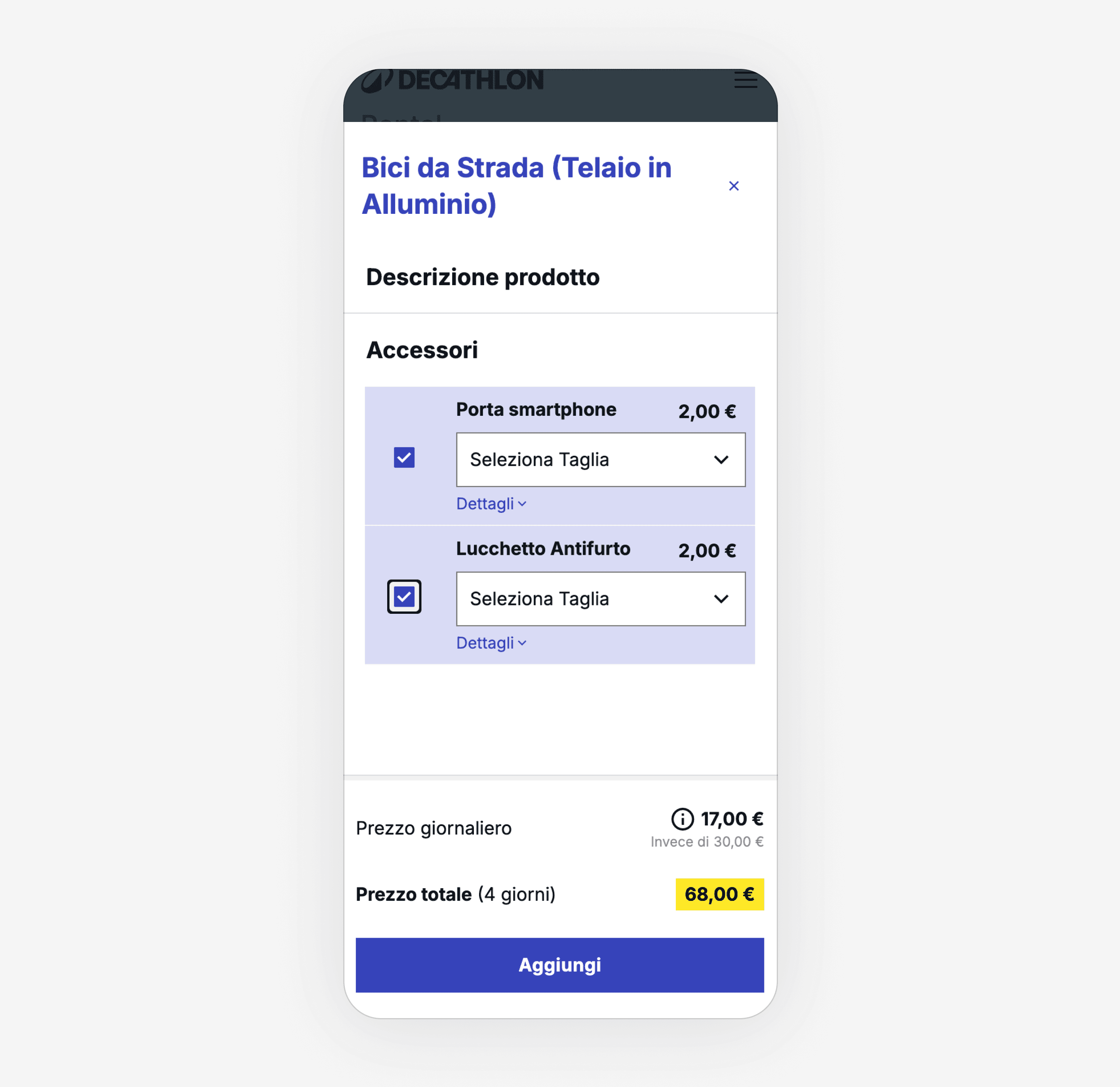
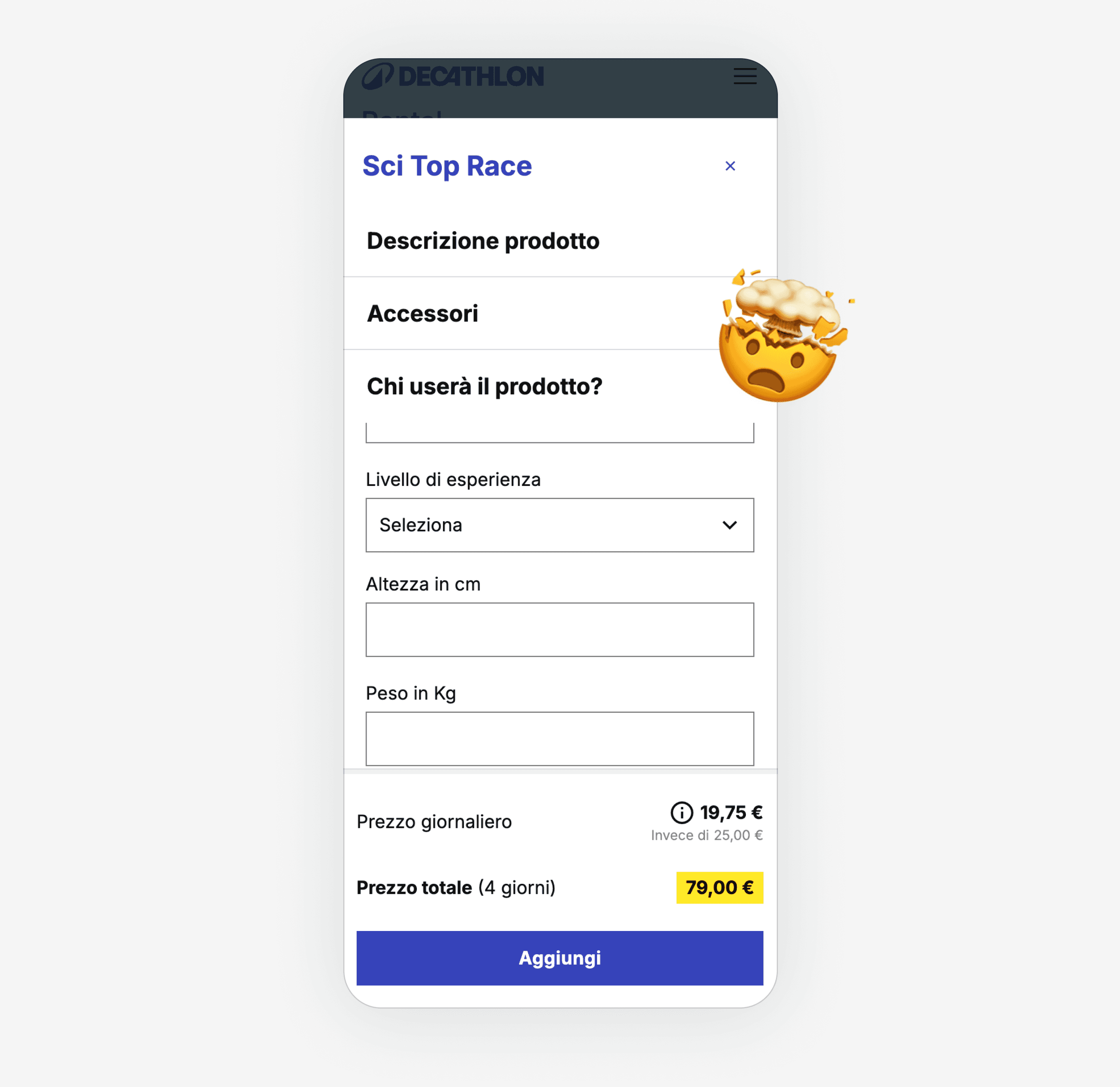
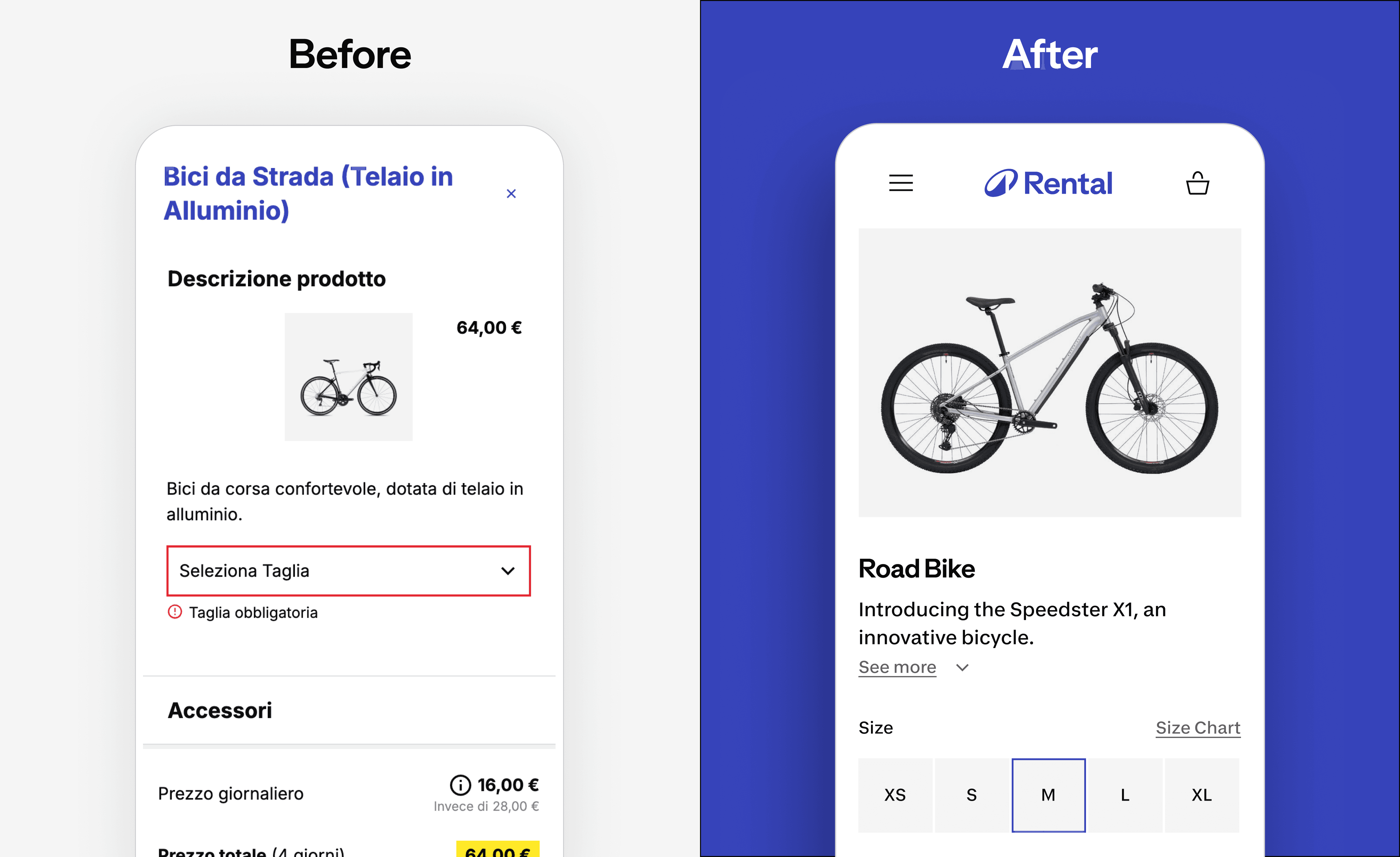
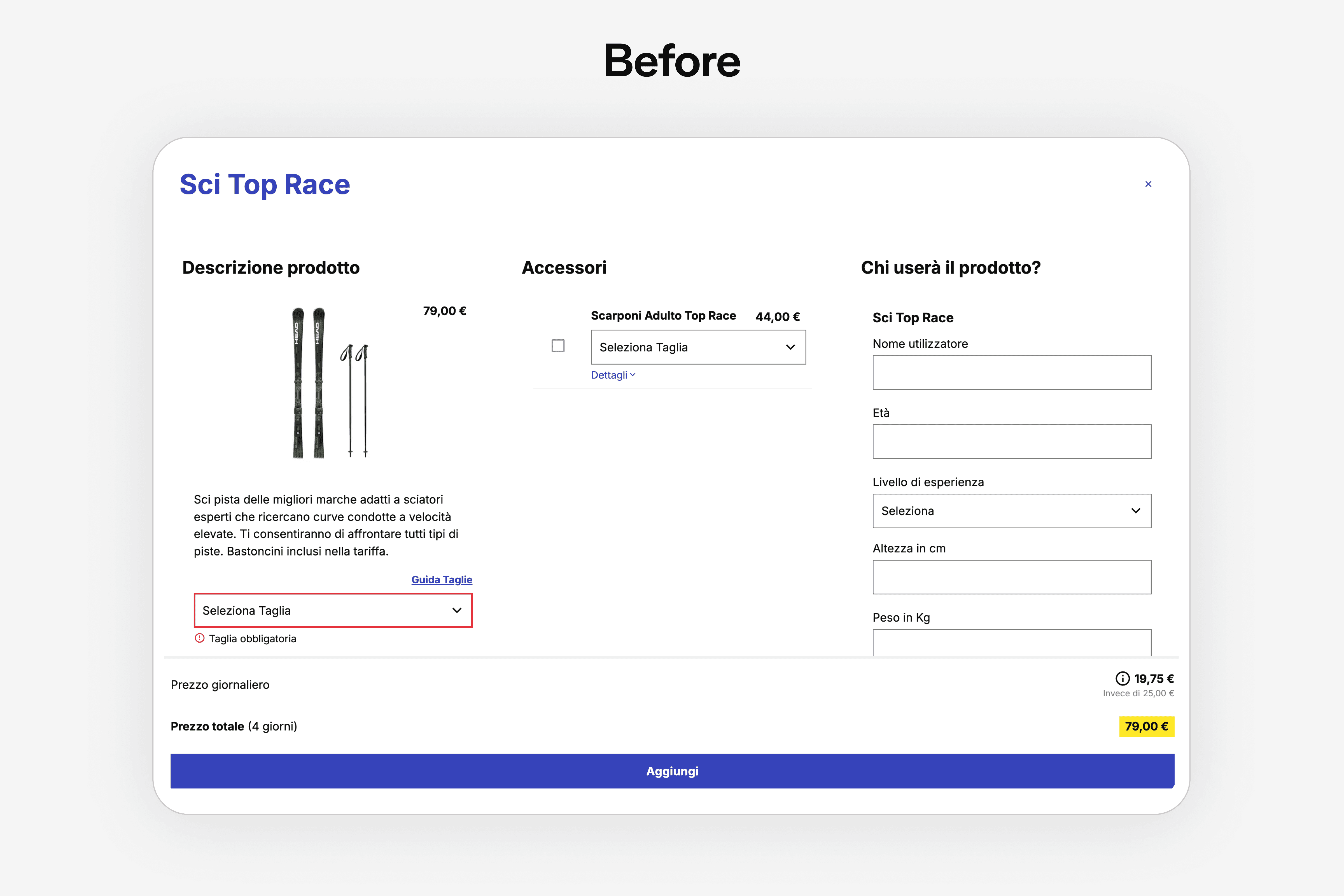
Users struggled to understand product details: images were too small, key information was hard to read, and the overall design felt outdated.
The interface wasn’t clear or appealing, and it wasn’t aligned with Decathlon’s new visual identity, creating uncertainty and making it harder for users to evaluate products.
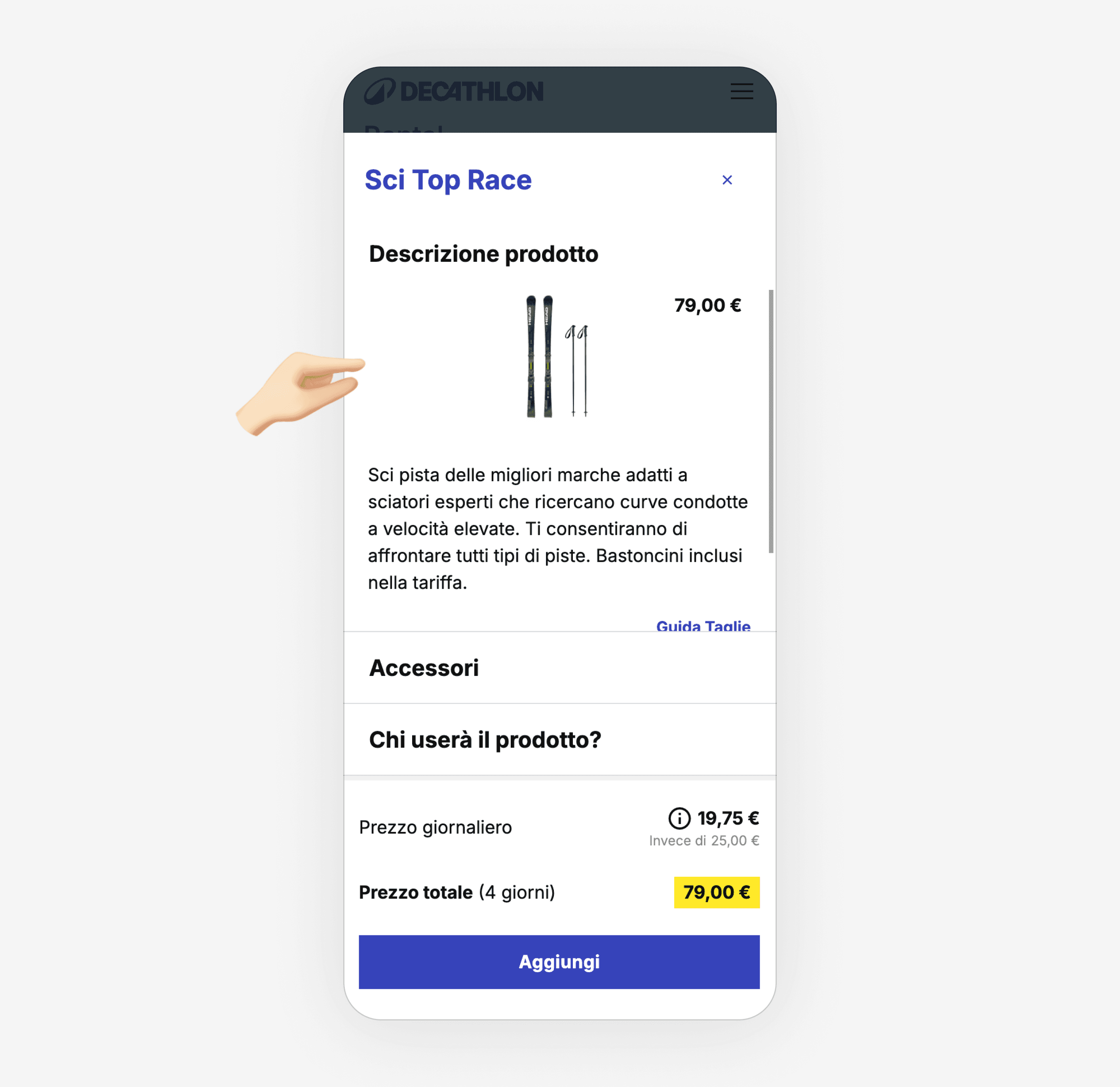
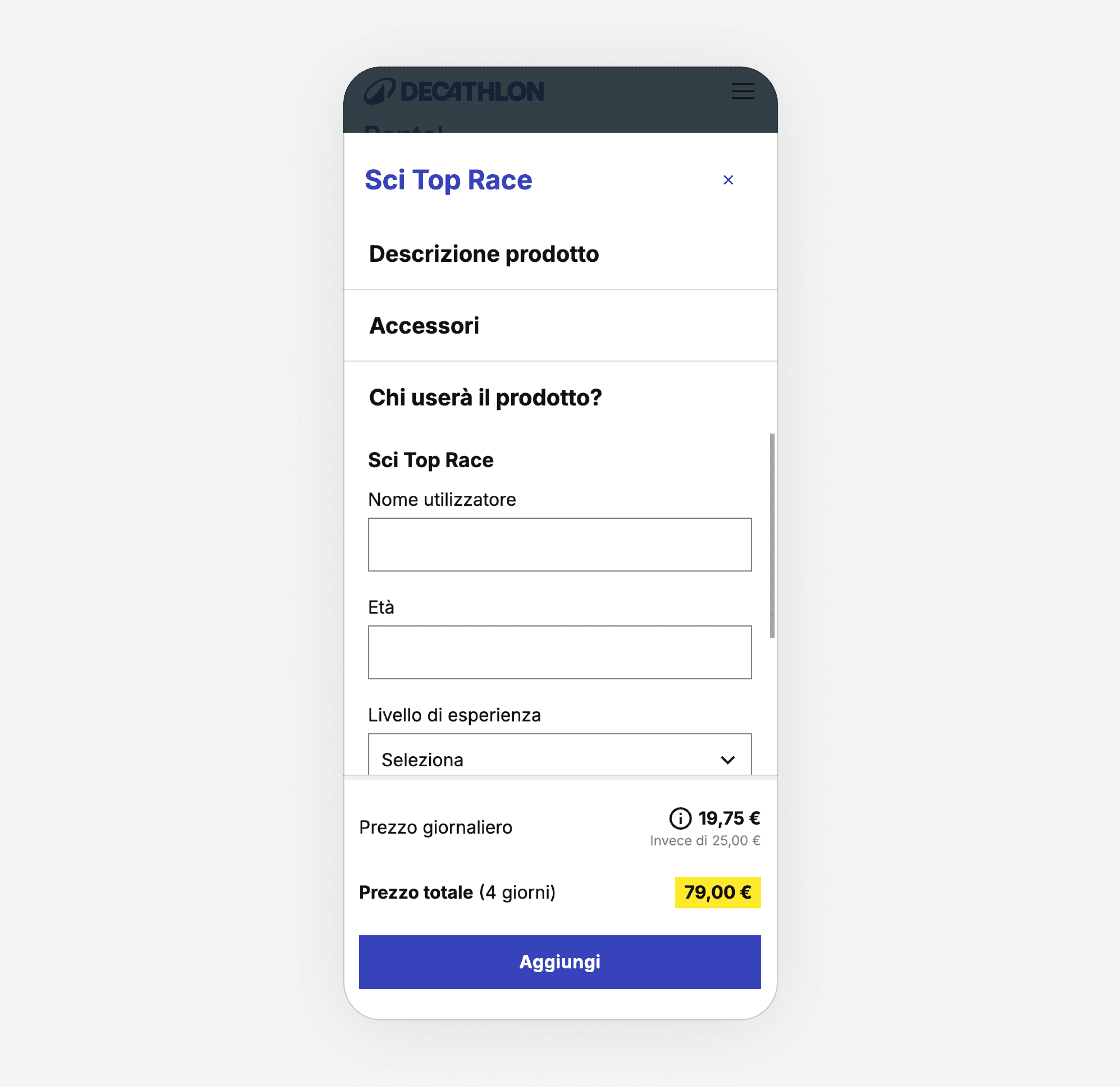
"I am not able to add to cart, but I don't understand why."
Ideation
Once the problem was defined, it was time to shape a strategy to solve it. This is the essence of design thinking.
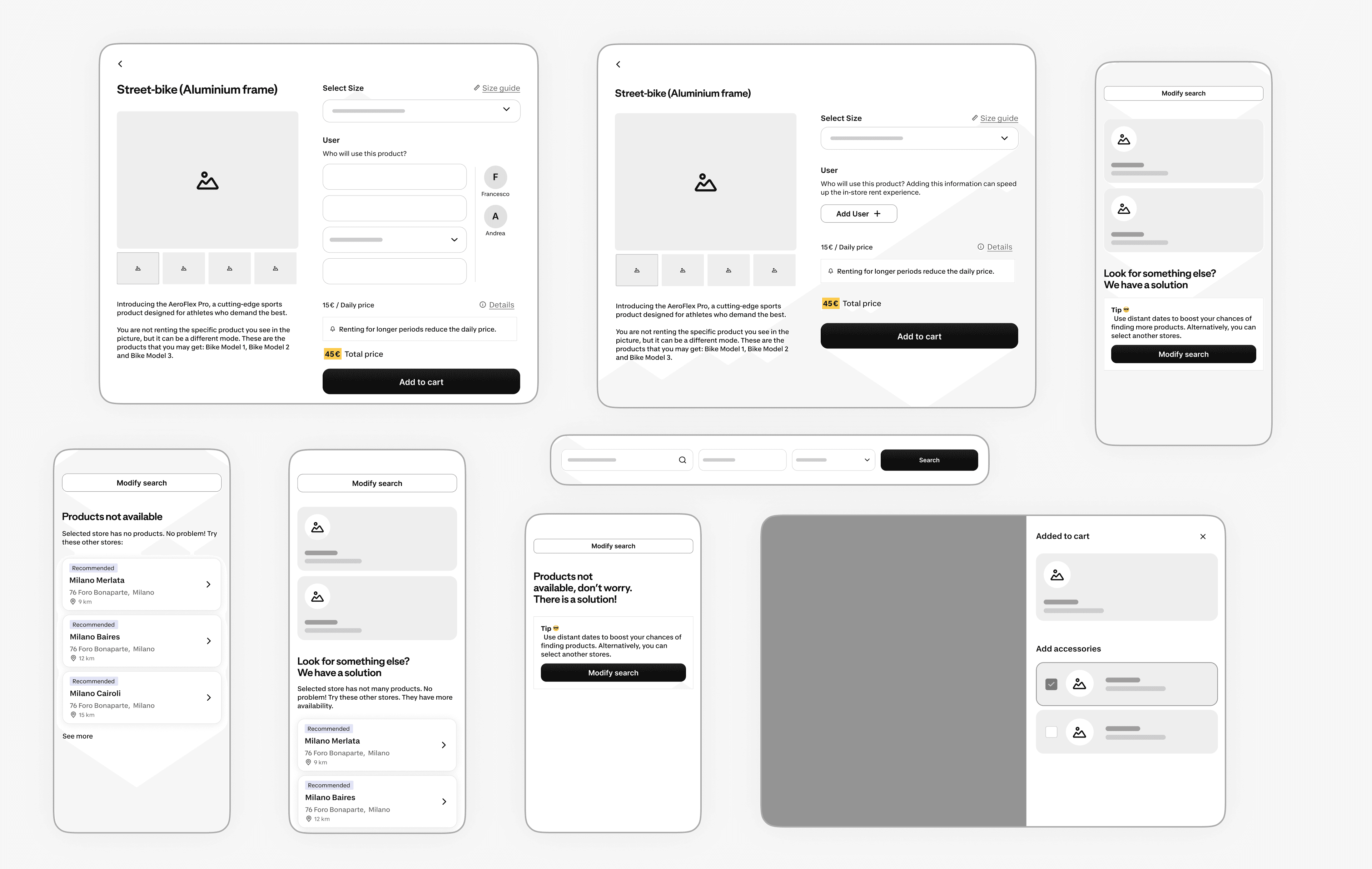
I worked closely with Alice, our UX Writer, and together we explored multiple design directions using quick sketches and low-fidelity wireframes to gather early feedback.
After that, I aligned with developers and the Product Manager to ensure feasibility and buy-in across the team.
Deciding and delivering
Once aligned, I led the interface design in Figma, evolving ideas from early sketches into high-fidelity, responsive prototypes.
For development, I delivered fully annotated Figma files with complete user flows, documenting interactions, new components, behaviors, and edge cases.
Throughout the process, I collaborated closely with developers to ensure accuracy and feasibility.
Final Solution ✨
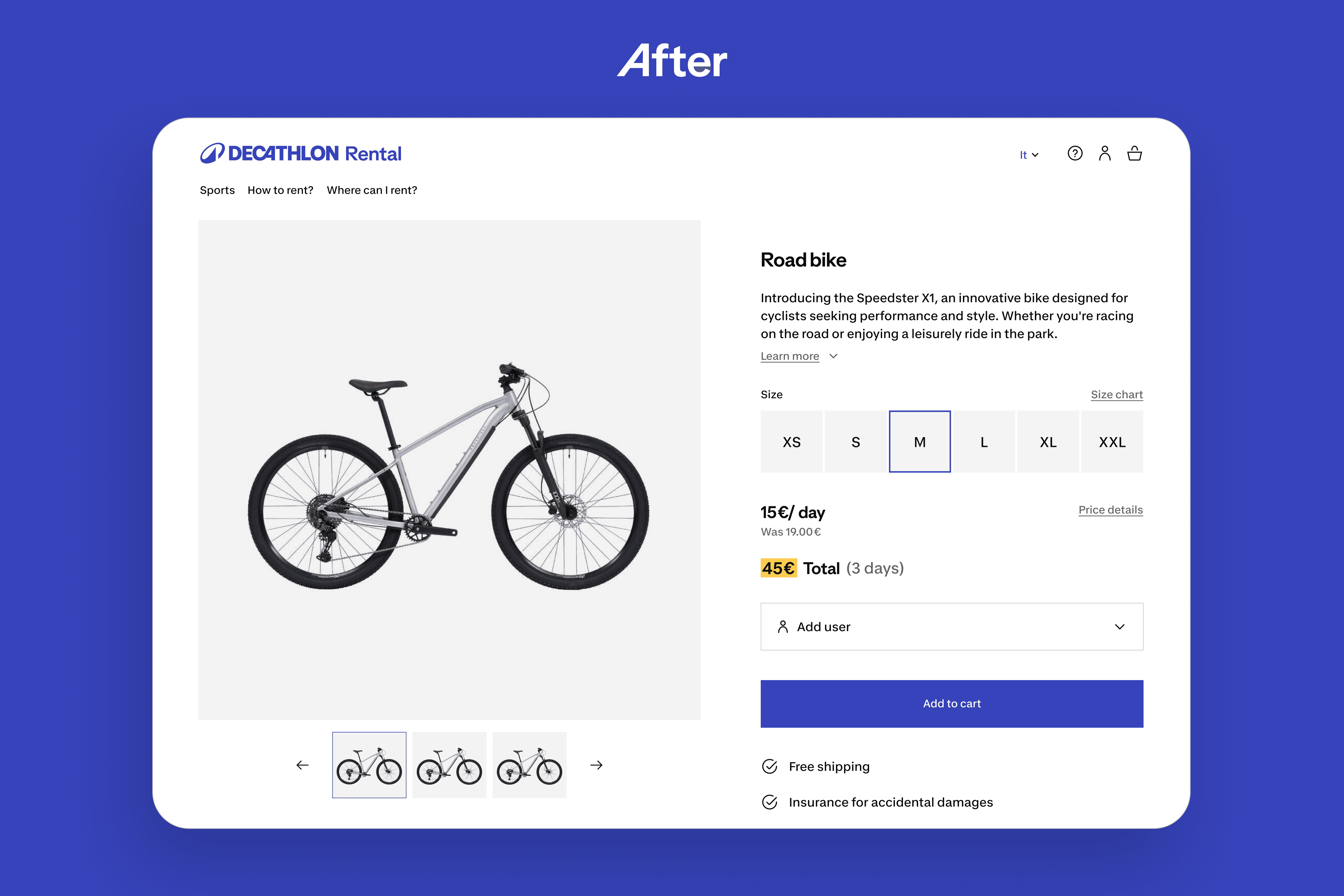
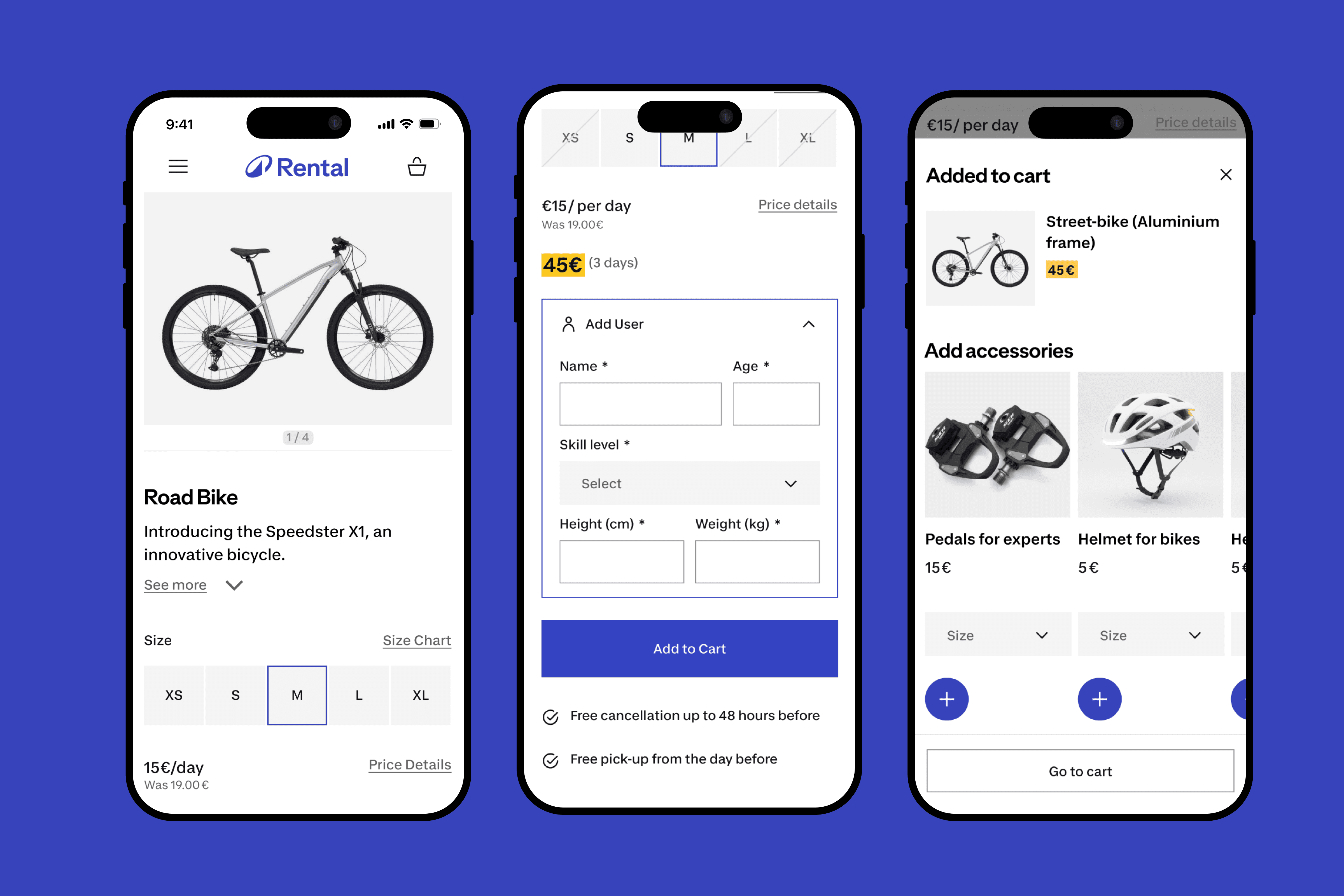
I redesigned using the components of Vitamin Play (new design system) to make the product page consistent with the new identity of Decathlon.
Whitespace became a key part of the new product page, with a more immersive experience and larger product images, allowing important information to stand out and giving users room to breathe.
Compacting user information
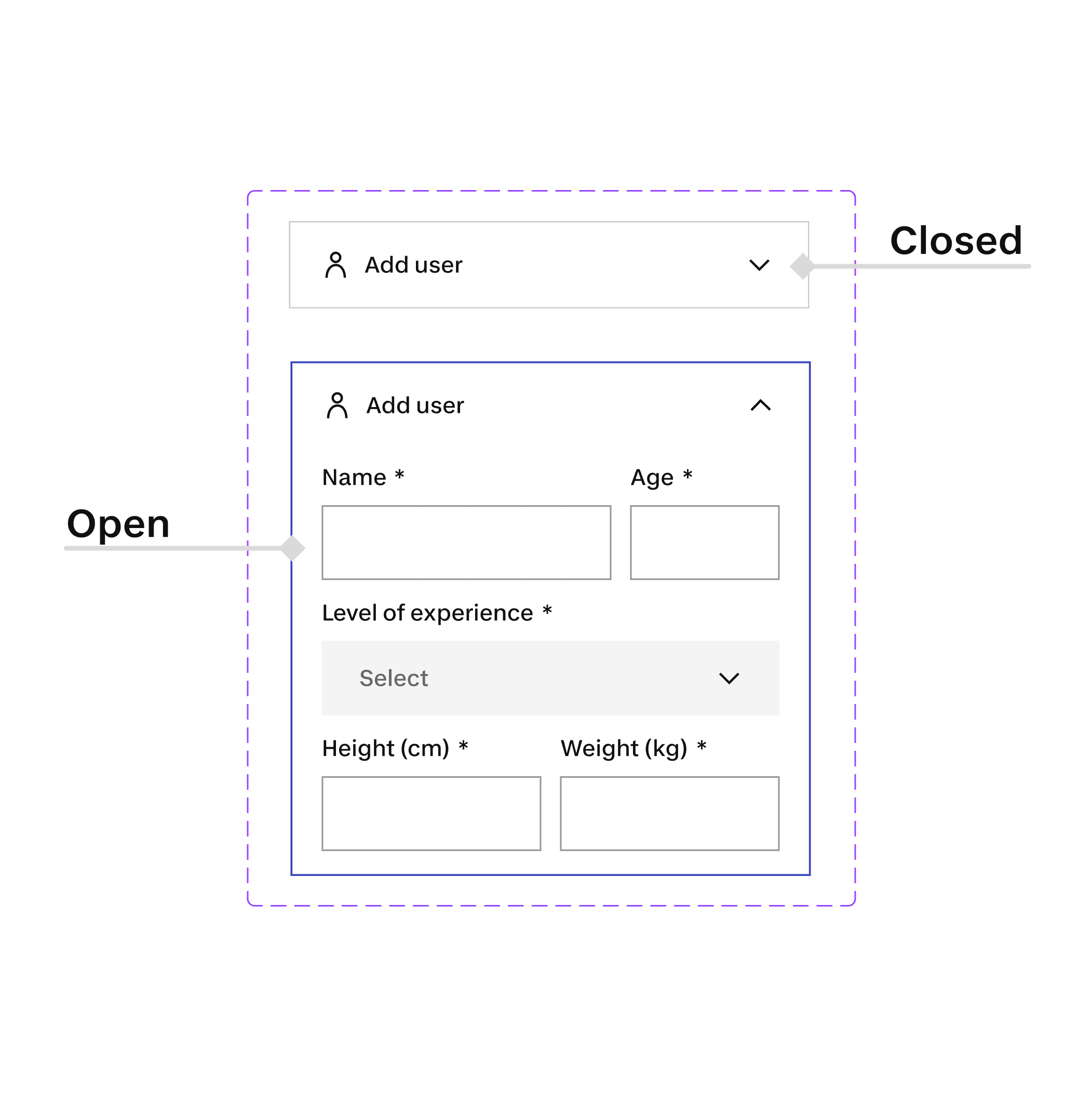
Mandatory input fields couldn’t be removed due to technical constraints and in-store processes.
To reduce interaction costs and cognitive load, I grouped these fields into a compact modal component that stayed closed by default.
Only after a user selected a size, signaling real intent, did the modal open, revealing the required information in a focused way.
Introducing progressive disclosure
Conclusions
Validation 📟
The new solutions performed positively in our unmoderated tests. Users were able to add products to the cart more easily and interact smoothly with the required inputs, significantly reducing interaction costs.
Next steps
This project marked the first version of the redesigned Product Page and the starting point for a broader UX/UI overhaul of Decathlon Rent.
V1 focused on fixing the most critical usability issues. The next iterations will build on this foundation, improving clarity, appeal, and guidance to help users confidently rent the right product for their needs.
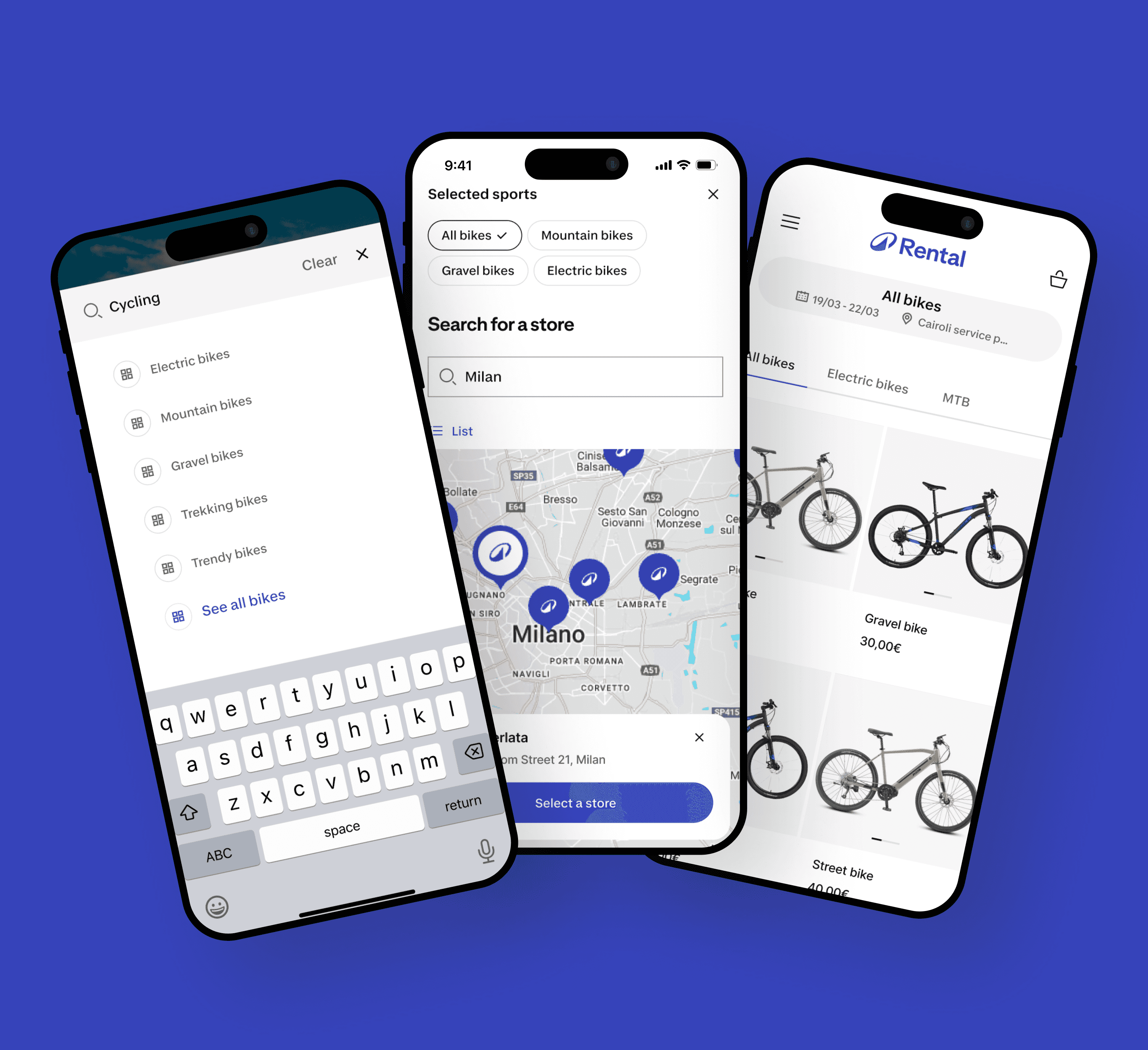
Insights from the User Research also informed redesign efforts across other areas of the experience, including the search flow and listing pages.